Sports streaming is one of the most expensive types of content. JioCinema charges for IPL, Hotstar for Premier League, and ESPN+ for UFC. With NetMirror, you can watch live sports from across these platforms for free — including cricket, football, wrestling, F1, tennis, and more.
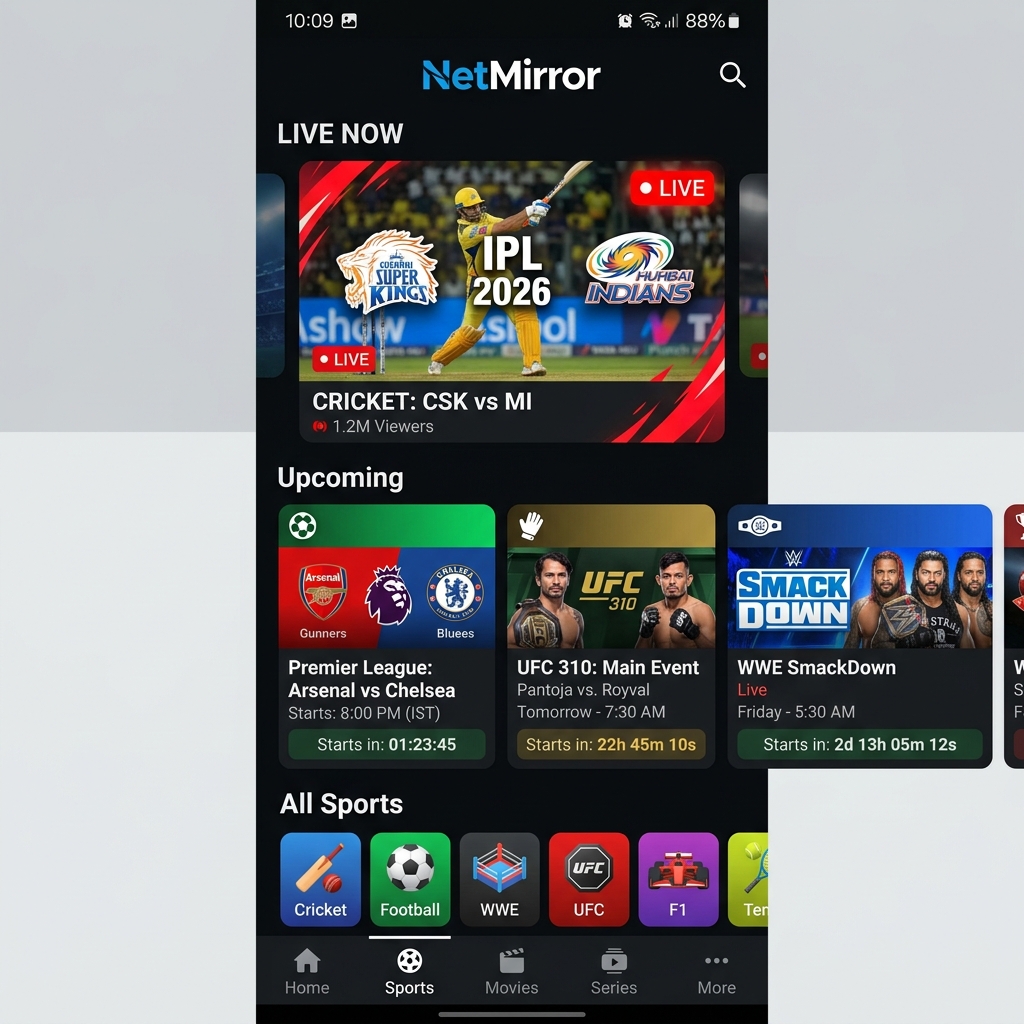
Available Sports on NetMirror
| Sport | Events Available | Original Platform | Quality |
|---|---|---|---|
| 🏏 Cricket | IPL, World Cup, T20I, ODI, Test | JioCinema, Hotstar | Up to 1080p |
| ⚽ Football | Premier League, La Liga, Champions League, Serie A | Hotstar, SonyLIV | Up to 1080p |
| 🤼 WWE | RAW, SmackDown, NXT, PPVs | SonyLIV | Up to 1080p |
| 🥊 UFC/MMA | UFC Fight Nights, PPV events | SonyLIV | Up to 720p |
| 🏎️ Formula 1 | All Grand Prix races, qualifying | Hotstar | Up to 1080p |
| 🎾 Tennis | Grand Slams, ATP, WTA | Hotstar, SonyLIV | Up to 720p |
| 🏐 Kabaddi | PKL matches | Hotstar | Up to 720p |
| 🏀 Basketball | NBA selected games | Various | Up to 720p |
Step-by-Step: Watch Live Sports
Step 1: Update to Latest Version
Live sports require the latest version for optimal server connections. Download NetMirror v6.0 if you haven't updated recently.
Step 2: Navigate to Sports Section
Open NetMirror → tap the ☰ Menu → select Live TV / Sports. You'll see a list of currently live and upcoming events.
Step 3: Select Your Event
Tap on the event you want to watch. Multiple server options will appear — we recommend starting with Server 1 for the best quality.
Step 4: Choose Quality
For live sports, we recommend:
- WiFi: 720p or 1080p for clear text and scoreboards
- Mobile data: 480p to conserve data
IPL 2026 Streaming Guide
The IPL 2026 season runs from March to May. JioCinema charges for premium access, but NetMirror provides free access to all matches:
- ✅ All 74 league stage matches + playoffs
- ✅ Hindi & English commentary
- ✅ HD quality (720p-1080p)
- ✅ Low-latency streams (15-30 seconds delay)
- ✅ Cast to TV for big screen viewing
Football Streaming Schedule
| League | Season Schedule | Match Days |
|---|---|---|
| Premier League | Aug – May | Saturday & Sunday |
| La Liga | Aug – May | Saturday & Sunday |
| Champions League | Sep – Jun | Tuesday & Wednesday |
| Serie A | Aug – May | Saturday & Sunday |
| ISL (Indian) | Oct – Mar | Various |
Tips for Smooth Sports Streaming
- Connect early: Join 5-10 minutes before kick-off so the stream is stable when play starts
- Use WiFi when possible: Live streams use 1-2 GB/hour at 720p
- Have backup servers ready: If Server 1 buffers during a crucial moment, quickly switch to Server 2 or 3
- Cast to TV: For group viewing, cast to your TV via Chromecast for the big screen experience
- Use VPN if geo-blocked: Some events may have regional restrictions. A VPN resolves this
Data Usage for Live Sports
| Quality | Data/Hour | 3-Hour Cricket Match | 2-Hour Football Match |
|---|---|---|---|
| 480p (SD) | ~700 MB | ~2.1 GB | ~1.4 GB |
| 720p (HD) | ~1.5 GB | ~4.5 GB | ~3 GB |
| 1080p (FHD) | ~3 GB | ~9 GB | ~6 GB |
Tip: On a 1.5 GB daily Jio plan, use 480p for a full football match. Use WiFi for cricket. More tips in our data saving guide.
Frequently Asked Questions
Typically 15-60 seconds behind the live TV broadcast. This is standard for internet streaming. Avoid checking social media during matches to prevent spoilers.
Currently, live sports on NetMirror are available up to 1080p. 4K live streaming is limited due to bandwidth requirements. On-demand content supports 4K.
Live sports have higher server demand especially during popular matches (e.g., IPL finals). Try switching servers, lowering quality to 480p, or connecting to a faster WiFi network.